
Leaf VPN on Windows: a one-tap tunnel on a bigger screen

Public Wi-Fi at an airport gate is one of those places where you can feel your threat model shift. The network is open, the captive portal looks slightly off, and your laptop is quietly syncing mail, cloud drives, and whatever messaging client you left running. Most people know they should be doing something about it. Fewer people have anything configured.
That gap is where lightweight consumer VPN apps live. Not enterprise tunnels with split routing and certificate management, just a connect button that encrypts your traffic before it hits a network you don’t control.
Leaf VPN sits firmly in that category. Listed under Tools and published under the name Teon.com, it bills itself as an “Easy 1-Tap VPN,” and the description doesn’t oversell what it is: a free unlimited VPN with a paid tier for people who need more than the free servers can give them.
Table of contents
One tap, no settings menu
The app’s whole personality is the single button. There’s no server-by-server tuning ritual, no protocol dropdown to agonize over. You open it, you tap, the tunnel comes up.
Technically, it works through Android’s VpnService API, which is why the app asks for VPN permission the first time you connect. That permission prompt is the system telling you that an app is about to route your device’s traffic through a tunnel it controls. It’s a normal request for this kind of software, but it is also the single most important thing to understand before you accept it: everything your device sends goes through Leaf VPN’s servers.
That’s not unique to this app. It’s the fundamental tradeoff of any VPN. You’re moving trust from your local network to the VPN operator.
Free, and cheap when it isn’t
The free service is the headline feature, and it’s the default experience rather than a crippled teaser. Paid plans exist for people who hit the limits of the free servers, and the pricing is unusually low for the category.
- A 1 week subscription at $0.49
- A 1 month subscription at $0.99
- A 3 day trial available to all users, which converts to a paid subscription when it ends
That last point deserves attention. The trial auto-converts, so if you’re testing it out and decide it isn’t for you, cancellation happens through Google Play rather than inside the app. Set a reminder on day two if you don’t want the charge.
Leaf VPN on a desktop
Leaf VPN is an Android app, so running it on Windows means running Android on Windows. On a phone, the one-tap model makes perfect sense because you’re connecting on the move, usually to one thing at a time. On a desktop, the calculus changes: you have a browser with thirty tabs, a download manager, a chat client, and a connection you’d rather not have to re-establish every time you switch rooms.
Leaf VPN for Windows walks through what that setup actually looks like: installing an emulator like BlueStacks, then installing the app inside it so the same one-tap button, the VPN permission dialog, and the connection toggle all live in an emulated Android window instead of your Windows network settings. Mouse and keyboard make the toggle trivial, and a larger window means the connection status is visible instead of hidden behind a status bar icon.
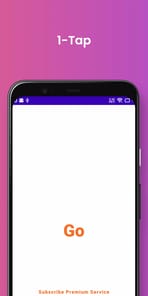
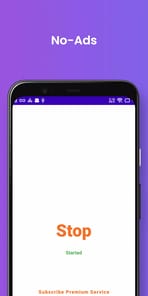
The honest caveat: an Android app running in an emulator tunnels traffic from inside that emulated environment. Depending on how your emulator handles networking, your Windows host applications may not be routed through it at all. That’s the difference between protecting the apps you run inside the Android layer and protecting your whole machine. If your goal is the former, which is often the case when the Android app you care about is the one doing the browsing, it works fine.
What a one-tap VPN won’t do
Free VPN services operate under constraints that paid-only providers don’t. Server capacity is finite, popular regions get crowded, and throughput during peak hours rarely matches what you’d get from a dedicated subscription provider. Leaf VPN’s own answer to this is the cheap paid tier, which is a reasonable position to take.
What a tool like this does well:
- Encrypting traffic on untrusted hotel, cafe, and airport Wi-Fi
- Getting a connection up fast when you don’t want to configure anything
- Giving casual users a privacy layer at a price that isn’t a barrier
What it isn’t built for is high-stakes anonymity. If your threat model involves anything more serious than a nosy network operator or a shared office connection, you want a provider with a published audit, a documented logging policy, and infrastructure you can verify.
The permission prompt, read it anyway
People tap Allow on this dialog without reading it, which is a mistake. The VPN permission grant is not a formality, it’s the OS asking whether you trust this specific app with every packet your device sends. Granting it to Leaf VPN is a deliberate choice, and revoking it later is done through Android’s VPN settings, not by closing the app.
If you do run it inside an emulator on Windows, keep an eye on whether the tunnel stays up after the emulator sleeps or the host machine wakes from suspend. Reconnection behavior is the thing that quietly fails, and a VPN you think is connected is worse than one you know is off.
